
Nundio — Tools for e‑commerce

Nundio — All the tools your online store needs

Nundio is a complete toolkit for online stores: SEO‑aware product description generators, automated product thumbnails, image conversion and optimization, data aggregation from marketplaces and production‑ready automations. Built for performance and discoverability, Nundio helps stores publish better listings faster and rank higher in search engines. Visit nundio.com for the public product site.

Excel automations • Brand-consistent thumbnails • Controlled AI descriptions • Fast conversions
Quick module preview
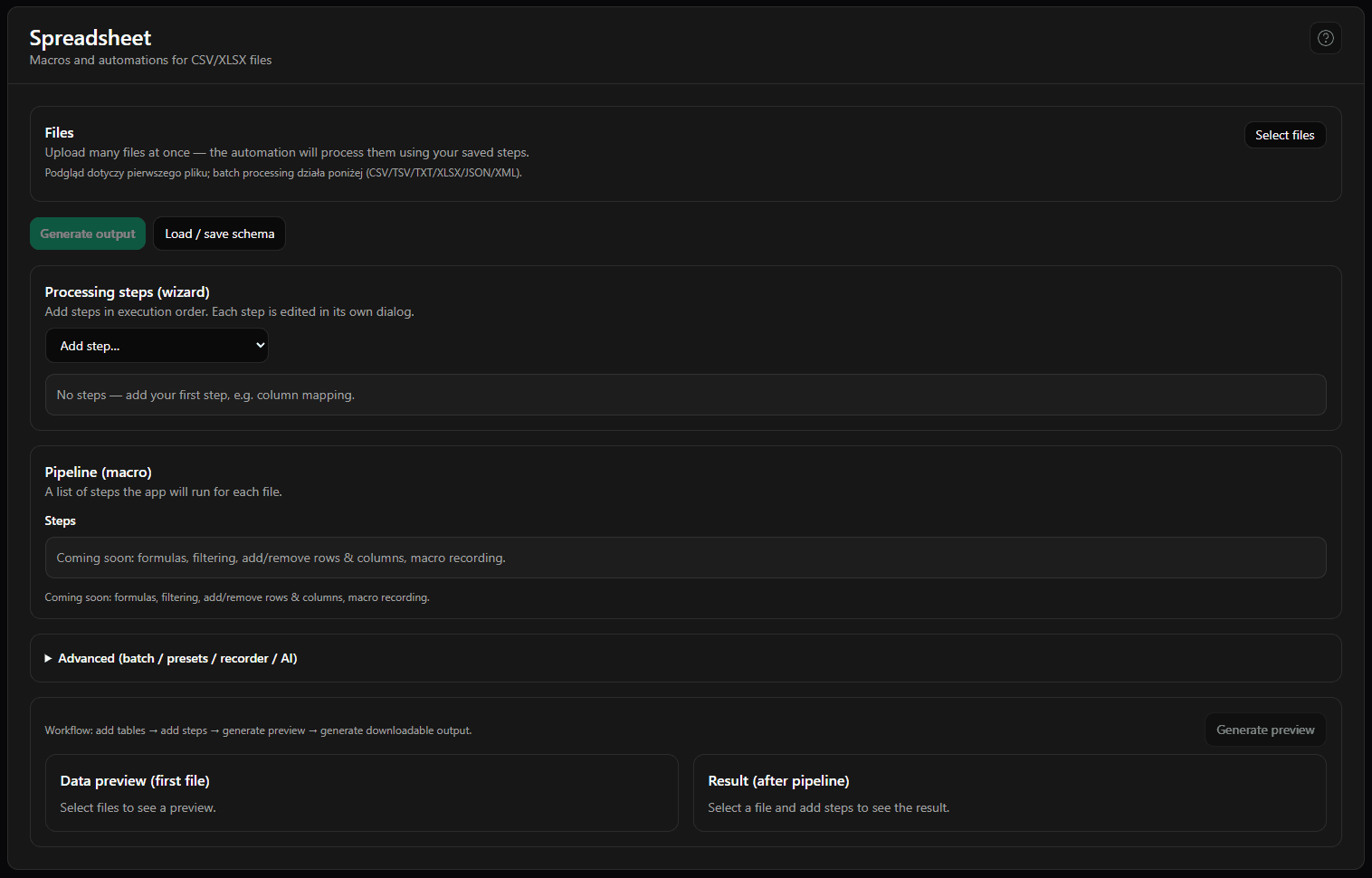
SpreadSheet
+16,000
thumbnails generated
20
stores using it
80%
less time preparing assets
50%
file size after optimization

What Nundio gives you

Benefits you’ll notice right away — less manual work, consistent assets and a faster store.

Less clicking, more selling

Automating thumbnails, labels and image conversions reduces manual work and speeds up publishing.

Consistent assets across channels

Reusable templates for store listings, Google Merchant and socials — fewer mistakes, better presentation.

Faster‑loading store

Lightweight images and tailored formats improve UX and SEO.

Modules

Detailed feature breakdown — what each module does, what it takes in, and when to use it.

SpreadSheet

Presets for repetitive table operations.

What it does

Automate routine data transformations (cleanup, merging, standardization) without manual clicking. Great for large tables that change often.

Key capabilities
  • Reusable presets for transformations
  • Fast processing of large datasets
  • Standardized exports for imports/marketplaces
Input
Excel files / tables (e.g. store exports)
Output
Updated tables ready for the next step
Example use cases
  • Cleaning product exports
  • Preparing data for feeds
  • Repeatable reporting without copy‑paste

Thumbnails

Brand-consistent, multi-variant visuals.

What it does

Generate consistent product visuals with templates: badges, color variants, formats. Set the rules once, then generate variants automatically.

Key capabilities
  • Template-based consistency
  • Variants (colors/badges/text) without manual layer edits
  • Exports for multiple channels/sizes
Input
Product images + a template/rules
Output
Ready-to-download thumbnails/graphics
Example use cases
  • Launching a new collection
  • Seasonal promo badges
  • Marketplace-ready images

Description generator

AI descriptions with structure and constraints.

What it does

Generate AI product descriptions with strict structure, required fields and style rules so results are consistent and predictable.

Key capabilities
  • Forced structure (sections/headings)
  • Style/SEO rules
  • Better reliability thanks to context requirements
Input
Product attributes and sources
Output
Ready description (HTML/text)
Example use cases
  • Bulk descriptions for new products
  • Unifying tone of voice
  • Short vs long versions per channel

Converter

Format conversion, compression and quick fixes.

What it does

Prepare assets fast: convert formats, compress, resize and do basic fixes (like background removal). Great for deadlines and keeping your library tidy.

Key capabilities
  • Format conversion + compression
  • Channel-specific resizing
  • Background removal and quick batch edits
Input
Images (JPG/PNG/WebP etc.)
Output
Files in target sizes and formats
Example use cases
  • Faster storefront load times
  • Campaign asset packs
  • Last-minute fixes

How Nundio works — 3 steps

1

Upload your file

Excel, a set of images or your product data.

2

Pick a template

Thumbnails, labels, conversions — set rules and variants.

3

Generate & download

Ready assets, HTML or updated spreadsheets.

Who is Nundio for?

Store owner

Faster product onboarding and fewer mistakes.

E‑commerce specialist

Consistent assets and ready variants for channels.

Graphic / content designer

Automate routine work and export for print.

Agency

Scale work across many stores and clients.

About Nundio

Nundio was born from the need to bring order to chaos: hand-made thumbnails, drifting description templates and hundreds of Excel files.

It’s a toolkit — a set of tools that together create a solid workflow for your store.
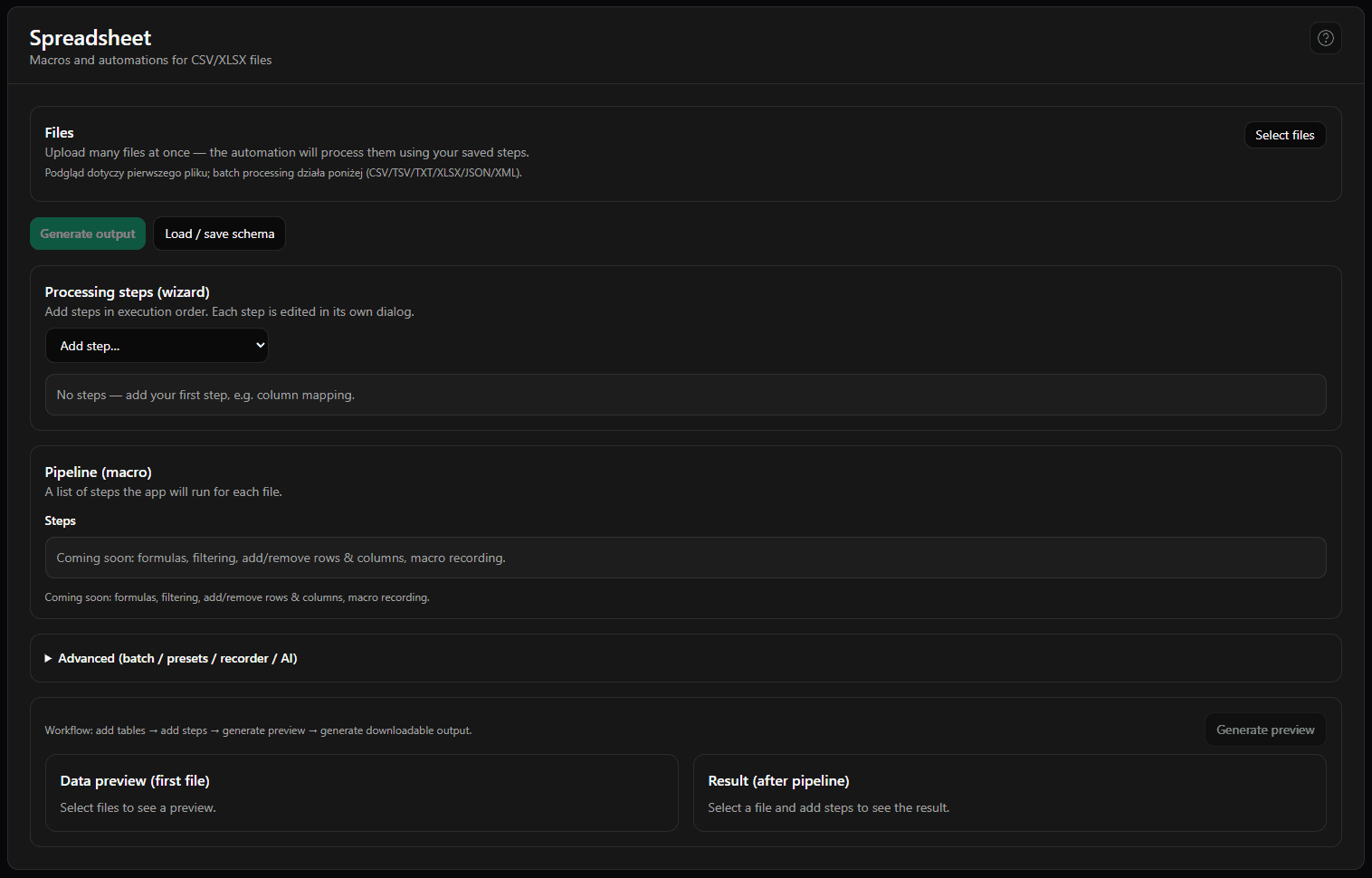
Illustration: Roman market theme

From the Nundio blog

Tips on image optimization, SEO and store automation.

No posts to display.

Join the newsletter

Monthly tips on slimming images, speeding stores and standardizing product files. No spam.

FAQ

Do I need design skills?
No — Nundio automates most tasks and provides templates.
Which platforms does it integrate with?
Integrations with popular platforms and CSV/JSON exports.
Can I create custom templates?
Yes — save templates and reuse them across projects.
Can I use my own product images?
Yes — upload your images and Nundio will optimize them and generate thumbnails.
How do integrations with marketplaces work?
Connect via API or import/export CSV; we provide connectors for major platforms.
Is there a free trial?
Yes — we offer a free trial so you can test the workflows.
How secure is my data?
Your data is encrypted in transit and at rest, and we follow industry best practices.
Can I customize templates to match my brand?
Yes — templates are editable and you can save presets for your brand.
Cookies
We use cookies to make the site work properly and (with your consent) for analytics and marketing. You can change your preferences at any time.